

Get the app and log in
Download FITR Training from the App Store or Google Play and log in with the email you signed up with. Use the phone app for everything on this page. Picking and switching programs only works in the app.
- Forgot your password? Tap Forgot password on the login screen.
- Turn on notifications so you see replies from your coach.
Pick your program
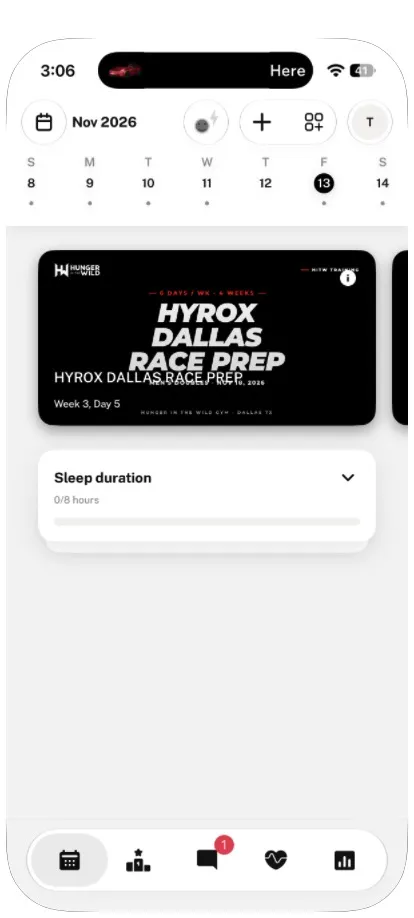
All Access doesn't put a program on your calendar until you pick one. Do this first.
- On the home screen, tap the four-square icon at the top right, next to the +.
- You'll see every program in All Access. Tap the + on the one you want.
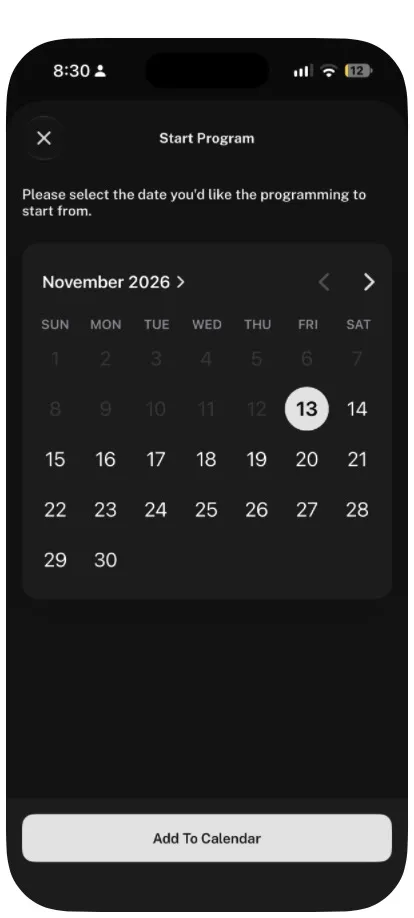
- Pick the day you want to start. It starts on today unless you change it.
- Tap Add To Calendar. Your workouts now show on the calendar.
Your workouts start on the day you picked. Pick today to start right away, or swipe the calendar forward to see a later start.

Add or switch programs
Your goal changes, your program can too. Same screen as step 2.
Add a second program
- Tap the four-square icon, then the + on the program you want to add.
- Pick a start day and tap Add To Calendar. Both programs now show on your calendar.
Switch to a different program
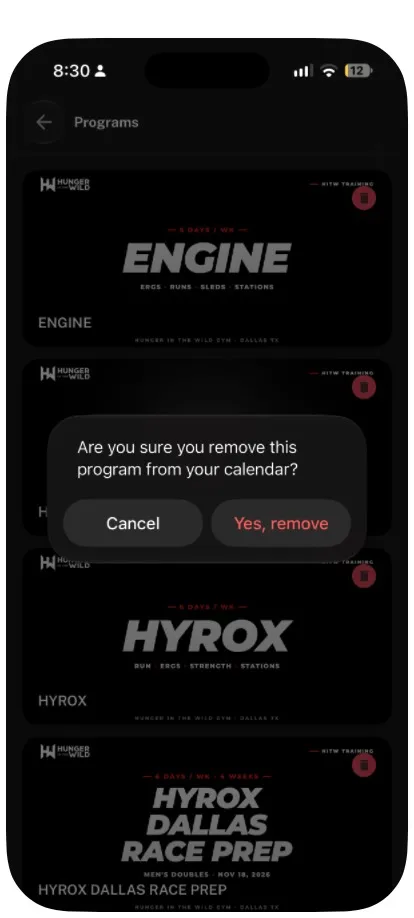
- Tap the four-square icon. Programs on your calendar have a red trash icon.
- Tap the trash icon on your current program, then Yes, remove.
- Tap the + on your new program and pick a start day.
Going back to a program you did before? The app asks Restart or Continue. Restart puts it back on your calendar from Week 1, starting today. Continue picks up where you left off.
Not sure which one fits, or how to split your week between two? Message us and we'll help you choose.
Add your maxes
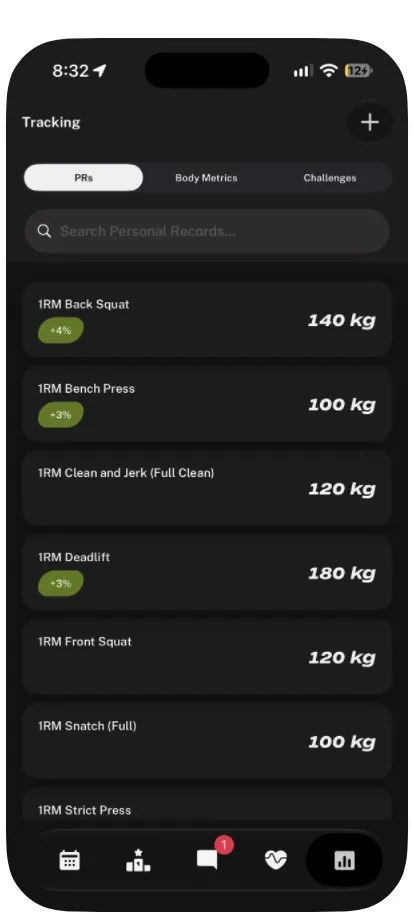
Our strength work is written as a percent of your max. Add your maxes and the app shows the exact weight for every set.
- Tap the Tracking tab, the chart icon at the bottom right.
- On PRs, tap the +.
- Search for the lift, like 1RM Back Squat, and enter your number.
Don't know a max yet? Rough numbers are fine to start, or message us and we'll help you find a safe starting weight.
Log your weights
Logging is how your coach sees what you did and how we adjust your training.
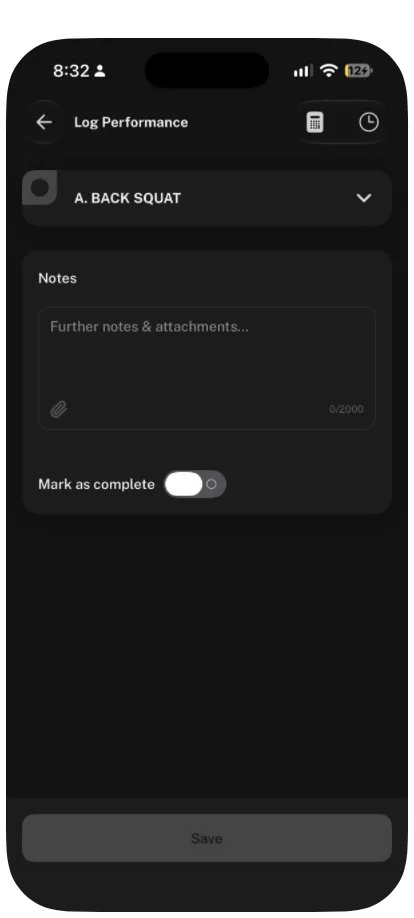
- Open today's workout from the calendar.
- Tap the log icon at the top right of a section, like A. Back Squat.
- Type what you did in Notes, turn on Mark as complete and tap Save.
Missed some days
Work trip, sick kid, sore legs. Don't skip ahead or try to cram. Pick up where you left off.
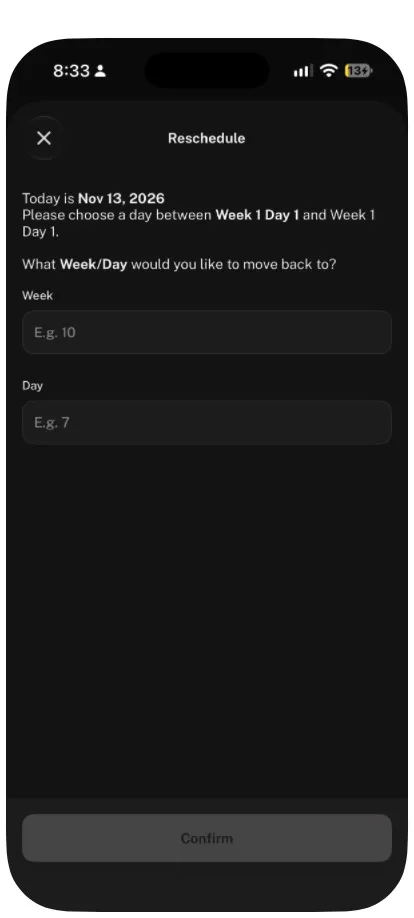
- Open any workout and tap the calendar icon at the top right.
- Enter the Week and Day you want to do today.
- Tap Confirm. The rest of the program moves with it.
Message your coach
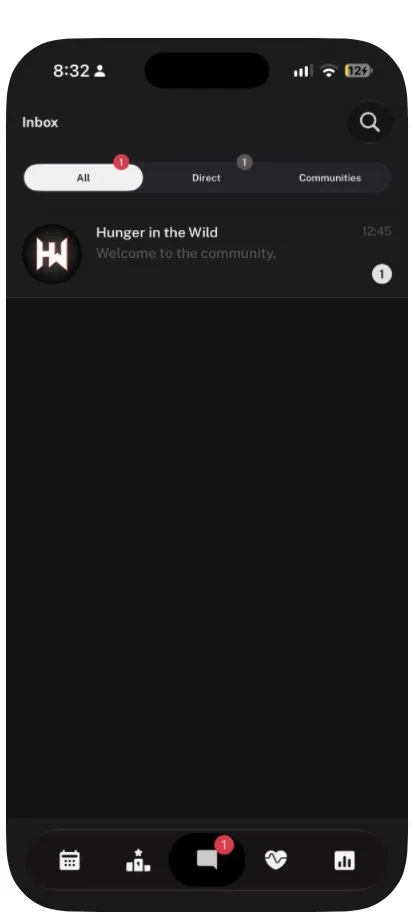
You have a real coach on the other end. Tap the chat icon in the middle of the bottom bar to open your Inbox. We reply within 24 hours.
Good reasons to message us:
- A weight felt way too easy or too heavy
- You need a swap for a movement or a piece of equipment
- Something hurts
- You signed up for a HYROX race and want your training built to the date
The program lineup
Every one of these is included in All Access. Not sure which fits? Message us your goal and we'll point you to the right one.
HYROX
Running plus the eight stations, built for people training for HYROX all year.
HYROX RACE PREP
The block before race day, so you show up ready to hold your Race Pace.
HYBRID
Strength and conditioning in one plan for people who want to lift heavy and run well.
POWERBUILDING
Get stronger on the big lifts and build muscle at the same time.
STRENGTH
Squat, press and pull more weight with a simple plan that builds week to week.
OLYMPIC LIFTING
Snatch and clean and jerk coaching from a USAW Barbell Club.
ENGINE
Conditioning on its own or on top of your lifting, to build a bigger aerobic base.
Quick answers
How does the free week work?
Your first 7 days are free. Train, log and message us like any member. If it's not for you, cancel before day 7 in Billing and you won't be charged.
Can I run two programs at once?
Yes. Add the second one from the four-square icon (step 3). Message us which two you picked and we'll tell you how to split the week so you're not overdoing it.
I missed a few days. Do I start over?
No. Use the calendar icon in any workout to pick back up where you left off (step 6), or message us and we'll tell you where to restart.
A workout calls for equipment I don't have.
Message us what you have and we'll give you a swap that trains the same thing.
How fast will my coach reply?
Within 24 hours.
How do I cancel?
On a computer, log in at hungerinthewild.fitr.training, open Billing, then My Purchases. We'd also like to hear why, so we can make the program better.